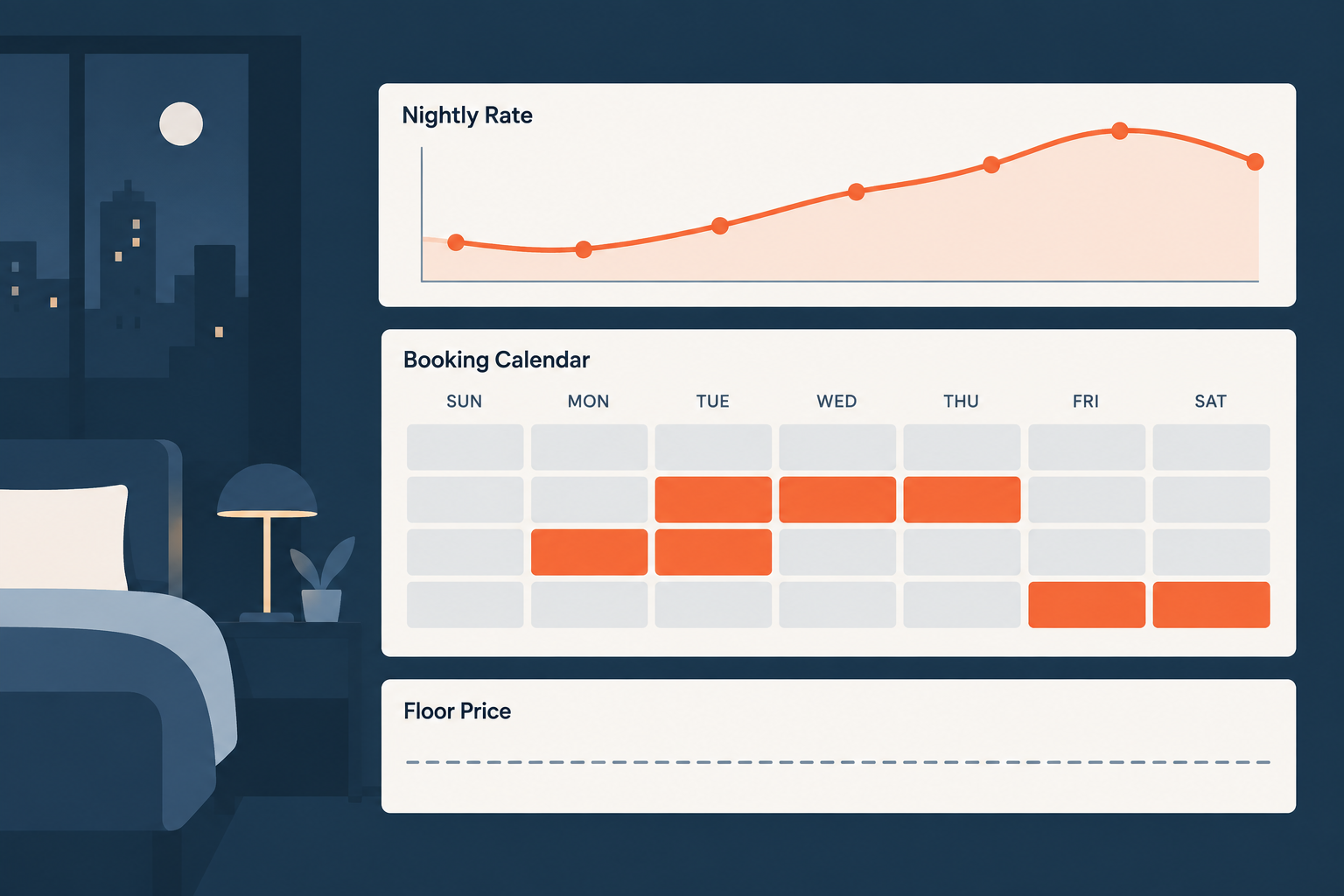
You price a short-term rental by building a system, not by picking a number: calculate a cost floor per booked night, define a comp set of five to ten listings that a guest would actually choose between yours and theirs, pick a target occupancy band, then let a rate tool move nightly prices between your floor and your ceiling while you review the forward calendar once a week. Occupancy and revenue are not the same goal, and the rate that fills the calendar is almost never the rate that pays you the most.
Last updated: 2026-09-21
Most operators set a rate on day one, change it twice, then wonder why the calendar fills at the wrong price. The fix is boring and repeatable: three numbers, a tool with limits you set, seasonality and event exceptions, minimum-stay rules, a weekly review, and the signals that tell you your price is wrong before your bank statement does.
Why the Platform Default Rate Leaves Money Behind
Airbnb's Smart Pricing lets you set a minimum and maximum price and then moves your nightly rate up or down "based on demand for listings like yours," according to Airbnb's own help documentation. That is a real feature and it is honest about what it does. What it does not promise is that it will maximize your revenue.
Here is my read after watching hundreds of calendars: a booking marketplace has every reason to fill inventory, and filling inventory is easier at a lower price. In practice I see Smart Pricing hold rates too low through soft mid-week periods and under-react on the dates that should be your best nights of the year — event weekends, holidays, graduation, the one festival that doubles hotel rates in your town. That is my experience and reasoning, not a published statistic, and I want you to treat it that way.
The practical move is not "never use platform tools." It is this: whatever engine sets your price, you own the minimum, the maximum, and the calendar exceptions. If you cannot say what your floor is and why, the engine is making a decision you should be making.
The Three Numbers to Set Before Any Nightly Rate
Cost floor per booked night
Your cost floor is the nightly rate at which a booked night breaks even on the costs that only happen because someone stayed. Cleaning is the big one, and it is a per-booking cost spread across the nights of the stay — which is why short bookings cost you more per night than long ones.
The table below is an illustration with the assumptions shown. These are not market averages, and they are not what your unit costs. Run it with your own invoices.
Line item (illustration) | Assumption | 2-night stay | 4-night stay | 7-night stay |
|---|
Cleaning (per booking) | $120 turnover | $60.00/night | $30.00/night | $17.14/night |
Consumables and linens | $9 per booking + $3/night | $7.50/night | $5.25/night | $4.29/night |
Utilities and internet (occupied) | $8/night | $8.00/night | $8.00/night | $8.00/night |
Host service fee | Airbnb's most common 3% host fee, on a $130 nightly rate | $3.90/night | $3.90/night | $3.90/night |
Restock and maintenance reserve | $6/night | $6.00/night | $6.00/night | $6.00/night |
Cost floor per booked night | | $85.40 | $53.15 | $39.33 |
Two things fall out of that math. First, a single floor price is wrong — your floor depends on length of stay. Second, a $70 "fill the gap" night on a two-night booking loses money in this illustration even though the calendar looks busy. The only line here I did not invent is the fee: Airbnb's help center states most Hosts pay a 3% service fee, with 4% in Brazil and Mexico. Fixed costs like rent or mortgage, taxes, and insurance sit above this line; the floor is about not paying for the privilege of hosting a guest. This is educational, not tax or legal advice — how you treat these costs on a return is a conversation for your CPA.
Comp set
Pick five to ten listings a guest would realistically compare against yours: same bedroom count, same neighborhood or drive time, same amenity tier, similar review volume. Not the best listing in the city. Not the tired unit two zip codes away. Check them weekly for your first ninety days — their nightly rate for a mid-week date, a Saturday, and a date sixty days out. You are mapping where demand sits, not trying to be cheapest.
Target occupancy band
Choose a band, not a number. I run most units at a 65–80% occupancy band and treat the edges as alarms rather than goals. Above the band consistently, my rates are too low. Below it, either my price or my listing is the problem. Your band depends on your market's seasonality and your cleaning capacity; a beach market that dies in February should not be judged against a year-round urban band.
Rate Automation: What the Tools Actually Do
Rate automation tools sit between your calendar and the market. They read booked and unbooked supply around you, your own booking pace, and the day of week and season, then push a nightly price to Airbnb, Vrbo, or your property management system inside limits you set.
PriceLabs — demand-responsive pricing and revenue management for hosts, property managers and hotels, syncing directly with Airbnb, Booking.com and Vrbo, per its own site.
Wheelhouse — its site describes mixing rule-based and data-driven pricing, with settings that change how the engine treats a given day, event or season, plus comparison sets of listings.
Beyond — its site lists pricing, market data and listing analytics for short-term rental operators, pushed to connected channels.
I am not quoting subscription prices here because vendor pricing changes and I will not print a number I cannot source today. Check the vendor's own pricing page before you buy, and check whether it bills per listing or per portfolio.
What none of them do is think for you. Every one of these tools produces a bad calendar if you feed it a floor you invented, a base price copied from a neighbor, or a minimum-stay rule that contradicts your cleaning schedule. The tool handles the thousand small adjustments; you handle the strategy and the exceptions.
Seasonality, Events, Lead Time, and the Launch Ramp
Seasonality. Build a twelve-month view of your market before you trust any algorithm: high season, shoulder, low, and the specific weeks that break the pattern. City tourism bureaus, convention calendars, and school district calendars are free and specific. Put them in your calendar now, because a rate tool reacts to demand it can already see, and a citywide event ninety days out often has not shown up in booking data yet.
Events. Event weekends are where operators leave the most money. Find the dates, raise the floor for those nights, and raise the minimum stay so you are not selling your best Saturday as a one-night stay. Then check the comp set two weeks out. If everything similar to you is booked and you are still open, you are not priced high — you are priced wrong on minimum stay or your photos are losing.
Lead time. Bookings arrive in a curve. Long-lead guests — families, event travelers, holiday groups — book months out and pay more for certainty. Short-lead guests book inside two weeks and shop harder on price. So your rate for a date should generally fall as the date approaches and stays unsold, and it should rise as your calendar around that date fills. A flat rate across the whole curve overcharges the last-minute traveler and undercharges the planner.
The launch ramp. A new listing has no reviews and no ranking history, so it competes on price. I price a new unit modestly below the comp set for the first three to five bookings, hold the minimum stay low enough to attract them, ask for the review properly after each stay, then step the rate back up in increments as reviews accumulate. The goal of the ramp is review velocity, not revenue. Set an end date for it — thirty days or five reviews, whichever comes first — or a launch discount quietly becomes your permanent price.
Minimum Stays, Gap Nights, and Length-of-Stay Discounts
Minimum-stay strategy is where operators either protect their margin or shred it. Short minimums mean more turnovers, more cleaning cost per night, and more wear. Long minimums mean a cleaner calendar and fewer bookings you can actually get. The answer changes by date, not by listing.
Calendar situation | Minimum stay | Rate move | Length-of-stay discount |
|---|
Peak season weekend, comps filling | 3 nights | Raise 10–20% above base; floor set high | None |
Named event weekend | 3–4 nights | Set the highest rate of the year; block one-nighters | None |
Shoulder season mid-week | 2 nights | Base rate | Weekly discount to attract longer stays |
Low season, calendar under 40% at 30 days out | 1–2 nights | Step down toward, never below, the 2-night floor | Weekly and monthly discounts on |
Orphan gap of 1 night between bookings | 1 night | Only accept at or above the 2-night cost floor | None |
Orphan gap of 2–3 nights | Match the gap exactly | Base rate minus 5–10% | None |
Inside 7 days, still unsold | 1–2 nights | Last-minute discount down to floor | None |
Gap nights deserve their own rule. A one-night orphan costs you a full cleaning for one night of revenue, which is why the two-night floor in the illustration above ($85.40) is the number that matters for that night — not your headline rate. Rate tools will fill orphan gaps automatically if you let them. Set a gap-night minimum price, or you will book a $55 night that costs you more than $85 to serve.
Length-of-stay discounts destroy margin in one specific way: when you stack a weekly discount on top of an already-discounted low-season nightly rate on a date that would have sold anyway. A 15% weekly discount applied to peak dates gives away the nights you could have sold at full price twice over. My rule: length-of-stay discounts belong in soft periods and on dates inside two weeks, never on peak or event dates, and never stacked with a last-minute discount.
I have spent more than eighteen years in real estate, worked short-term rentals since 2016, and trained over 10,000 operators through CashFlow Diary. The single most common repair I make to someone's calendar is not the nightly rate. It is the minimum-stay and discount settings nobody has looked at since setup.
The Weekly Pricing Review Process
Thirty minutes, same day each week. If you do only one thing from this article, do this.
Step 1 — Pull the forward calendar
Look at the next 90 days and note occupancy for each of the next three 30-day blocks. Write the numbers down in the same place every week so you can see the trend, not just the snapshot.
Step 2 — Flag the soft windows
Any two-week stretch inside 60 days sitting under 50% booked gets flagged. Those are today's decisions. Anything past 90 days is a seasonality decision, not a pricing emergency.
Step 3 — Check the comp set on three dates
Pick a mid-week date 14 days out, a Saturday 30 days out, and a date 60 days out. Record what your five to ten comps are charging and whether they are booked. Booked comps above your rate are the clearest signal you are cheap.
Step 4 — Adjust rates and minimum stays on flagged dates
Work only the flagged windows. Use the decision table above: move the rate toward the floor, shorten the minimum stay, or turn on a weekly discount — one lever at a time so you can tell what worked.
Step 5 — Set the exceptions for the next 120 days
Add any newly announced events, school breaks, or local holidays. Raise floors and minimum stays on those dates now, before the algorithm or a bargain hunter gets there first.
Step 6 — Log what you changed
One line per change: date range, old setting, new setting, why. Four weeks later that log is the only way to know whether your rate strategy is working or you are just busy.
Signals You Are Under- or Over-Priced
Under-priced looks like this: you book out 60 or more days ahead while comps still have openings; occupancy runs above your band for three straight weeks; you get instant bookings within minutes of opening dates; guests mention what a deal the place is in reviews; your calendar fills first with the longest, cheapest stays.
Over-priced looks like this: occupancy under your band for two consecutive weeks with a listing that converts fine on views; lots of profile views but almost no inquiries; comps at similar quality booked while you sit open inside 14 days; your only bookings are last-minute discounts.
One caution before you cut. Low occupancy with low views is a visibility or listing problem — photos, title, amenities, review count — and cutting the rate will not fix it. Low occupancy with high views is a price problem. Check the view-to-booking ratio in your channel dashboard before you touch a number.
This system is not for everyone. If you have one unit, hate spreadsheets, and are content with whatever the platform gives you, the weekly review will feel like too much work — and that is a legitimate choice. It is just a choice with a price tag.
Want an operator to pressure-test your rate strategy with you? Start with a complimentary one-on-one diagnostic call and bring your forward calendar, your cleaning invoice, and your comp set.
Frequently Asked Questions
Should I use Airbnb Smart Pricing or a third-party rate tool?
Airbnb's help documentation describes Smart Pricing as moving your price up or down based on demand for listings like yours, within a minimum and maximum you set. If you use it, set that minimum from your own cost floor rather than accepting a suggestion. I prefer a third-party tool because I get seasonal profiles, minimum-stay rules, and market data in one place, but the bigger gain comes from owning your floor and your event dates either way.
What occupancy rate should I target?
Target a band rather than a number, and let it reflect your market's season. I use 65–80% as a working band and treat sustained results above it as a sign my rates are too low and results below it as a sign to check price against my comp set and my listing conversion. A market with a dead season will run below the band for months, and that is not a failure.
How far in advance should I set prices?
Set seasonal profiles and event exceptions 12 months out, then let automation handle the day-to-day inside 90 days while you review weekly. The dates that need your attention early are the ones that sell early: holidays, named events, and school breaks.
Do length-of-stay discounts hurt or help?
Both, depending on the date. In a soft period, a weekly discount converts a guest who would not otherwise book and cuts your per-night cleaning cost. On a peak weekend or event date, the same discount gives away nights you would have sold at full rate. Keep discounts off peak dates and never stack them with a last-minute discount.
How low can I go to fill an empty night?
Not below your cost floor for that length of stay. In the illustration above, a two-night booking has a floor of $85.40 per night while a seven-night booking has a floor of $39.33, so "cheap" means something different for each. A night booked below the floor takes money out of your pocket and adds wear to the unit.
Sources