PMS vs Channel Manager: What's the Difference, and Do You Actually Need Both?
A channel manager syncs your calendar and rates across booking sites. A PMS runs the operation behind them. Here is when you need both, and when one tool is enough.
By J. MasseyJune 22, 2026· 11 min read
Share
Disclosure: This post may contain affiliate links. If you purchase through our links, we may earn a commission at no extra cost to you. We only recommend tools and services J. Massey's team actually uses. Read the affiliate disclosure
A channel manager keeps your calendar and rates in sync across the booking sites you list on, so one reservation blocks those dates everywhere. A property management system (PMS) runs the work behind the booking: guest messaging, cleaning schedules, payments, owner reporting. They solve different problems, they are often sold inside the same subscription, and the question that matters is not which one is better but which job is currently breaking your operation.
I have spent 18-plus years in real estate, focused on short-term rentals since 2016, and built a list of more than 10,000 short-term rental operators. The pattern is consistent: hosts buy software to feel organized instead of buying it to stop a specific failure. Below is how to tell the two tools apart, when you need one, when you need both, and what switching actually costs you in hours and money.
What Each Tool Actually Does
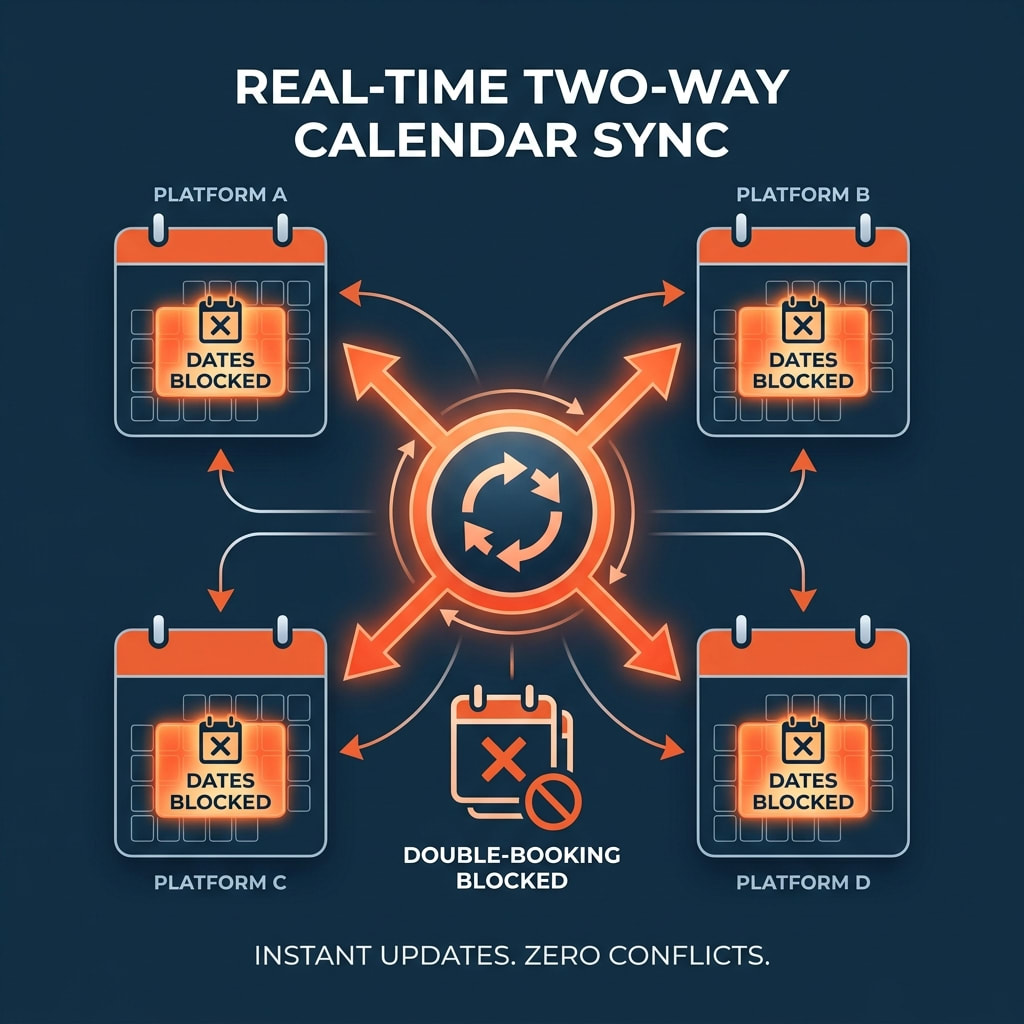
A channel manager faces outward. It holds your listing content, rates, and availability, then pushes those to Airbnb, Vrbo, Booking.com, and whichever other sites you sell on, and pulls reservations back. Its measure of success is simple: zero double-bookings and identical rates everywhere.
A PMS faces inward. It holds the reservation record once it exists, then drives everything downstream — the message that goes out at 4 p.m. on arrival day, the cleaner assignment, the damage deposit, the owner statement at month end. Its measure of success is that nothing needing a human hand gets forgotten.
Two different failure modes follow from that split. Channel failures are loud and public: a guest books dates you already sold, you cancel, you eat the relocation cost and a penalty, and the review shows up on your listing for a year. Operations failures are quiet and cumulative: a late check-in message, a cleaner who was never told about a same-day turn, a card that was never charged. Loud failures cost you money on the day. Quiet failures cost you occupancy three months later, when your review score stops carrying the listing.
Question
Channel manager
PMS
Primary job
Distribute listings, rates, availability
Run operations after the booking lands
Direction of data
Pushes out to booking sites, pulls reservations in
PMS versus channel manager comparison: an operations tool versus a distribution tool, with the overlap zone
The categories blur because most vendors now sell both sides in one product. Guesty's plan comparison, for example, lists channel sync alongside a unified inbox, task management, reporting, and owner statements in the same tiers (Guesty pricing page, as of September 2026). Hospitable's plan table does the same, pairing Airbnb, Vrbo, Booking.com, and Agoda sync with automated messaging and cleaning workflows. If you buy one of those, you are buying both functions whether or not you use them.
The overlap is real but shallow at the edges. A channel manager sold on its own may include a basic inbox that mirrors platform messages; it will not schedule your cleaners or produce an owner statement. A PMS sold on its own may include an iCal import; iCal is a periodic file fetch, not a live connection, so a booking can land in the gap between refreshes. That gap is the single most common source of the double-booking that hosts blame on "the software."
Treat iCal as a bridge, not infrastructure. Airbnb documents calendar syncing with other calendars as a supported feature, and Vrbo documents the same, so it is legitimate — it is just slower and one-directional in ways that matter once your occupancy climbs above roughly 70%. At high occupancy, there are fewer open dates, so any lag has a higher chance of landing on a date that just sold.
When You Need Both
Match the tool to unit count and channel count, not to ambition. Here is the threshold I use with operators, and the trigger that should make you buy earlier than the table says.
Your situation
Channel manager
PMS
Buy earlier if
1 unit, 1 platform
No
No
You co-host someone else's unit and owe them reporting
1 unit, 2+ platforms
Yes
No
You take direct bookings off your own site
2–3 units, 1 platform
Optional
Yes
You use more than one cleaner
3–5 units, 2+ platforms
Yes
Yes
You have any staff at all
6–15 units
Yes
Yes
Owner reporting is a monthly scramble
Serviced apartments, identical units in one building
Yes
Yes
Always — unit assignment breaks without it
A single unit on a single platform does not need either. Airbnb's own calendar and inbox cover you, and paid software at that stage buys organization you do not yet need. Spend the money on photography and your first 10 reviews instead.
The moment you add a second sales channel, the arithmetic changes. One double-booking on a peak weekend costs you the refund, the rebooking difference if you relocate the guest, the platform's cancellation penalty, and a public cancellation mark. Add those up and a single event often runs past a year of channel manager cost for one unit — that is an illustration from operator numbers, not a published figure, so price your own peak-weekend rate against your own quote. That is why the second channel, not the second unit, is the real trigger for distribution software.
The PMS trigger is the third unit or the first person who is not you. Two units run out of your head. Three units with two cleaners and a handyman do not, and the thing that breaks first is the handoff, not the calendar.
Serviced apartments and multi-unit buildings are their own case. When six units are interchangeable, the system has to assign a specific unit to a specific stay and keep that assignment consistent across every channel. Generic tools that treat each listing as an isolated calendar handle this badly. Ask any vendor for a live demo of multi-unit assignment before you sign.
What This Costs: Pricing Models as of September 2026
Vendor pricing changes often, and most of this category prices per listing per month with a floor, or quotes you directly. Rather than trusting a number you read in a forum, read the model and then confirm the figure on the vendor's own page the week you buy.
Vendor
Pricing model (vendor page, September 2026)
What that means for you
Guesty
Per-listing packages; the vendor's pricing FAQ states packages start from $9/month per listing, with a 14-day free trial of the Lite tier
Cost scales linearly with listings; sync coverage widens on higher tiers
Hospitable
Tiered plans including a no-monthly-fee Essentials tier; higher tiers list a per-extra-property charge of $10 or $15 per month depending on plan
Base plan includes a set number of properties, then per-unit add-on
OwnerRez
Sliding scale — the vendor states the per-property fee falls as property count rises, with details in its costs and fees article
Cheaper per unit as you grow; verify the current scale before budgeting
Hostaway / Hostfully
Quote-based pricing published as "get a quote" rather than a public rate card
Expect a sales call and an annual commitment; ask for the per-unit number in writing
Two costs never appear on a pricing page. The first is setup time. Plan 6–10 hours per unit for the first unit — content migration, rate rules, message templates, cleaner accounts — and about an hour per unit after that once your templates exist. The second is the overlap month. During a migration you will usually pay both the old and new tool for 30 days, because you do not cut the old system until the new one has carried a full booking cycle cleanly.
Run the math before you switch, not after. If a combined tool costs you $40 per unit per month across four units, that is $1,920 a year plus roughly 20 hours of setup. It has to prevent one cancellation and save you two hours a week to be worth it. Most do, at four units. Almost none do at one unit on one platform.
This is general operating guidance, not tax or legal advice; talk to your own advisors about how software costs and any bookings you take affect your specific situation.
When a short-term rental operator needs a PMS, a channel manager, or both, by unit count and number of booking platforms
Name the failure. Write down the last three things that went wrong. Sort them into "wrong calendar" and "wrong handoff." Distribution problems buy a channel manager. Handoff problems buy a PMS. If the list is empty, buy neither this quarter.
Count your channels and units. Use the threshold table above. Be honest that a direct-booking site counts as a channel, because it is the one nobody remembers to sync.
List your non-negotiable connections. Write down every platform you sell on today plus any you will add within 12 months. Check each one against the vendor's own supported-channel list, not a review article. A tool that syncs three sites is useless if your fourth site carries 30% of your nights.
Price the combined option against two specialists. Get the per-unit monthly figure from each vendor's live pricing page or a written quote. Add the overlap month and your setup hours at whatever your time is worth. Below roughly five units, one combined tool almost always wins on total cost and on the number of systems you must remember.
Test with one unit for 30 days. Connect a single listing, run a full booking cycle through it, and check three things: did rates push correctly, did a booking on one channel block the others within minutes, and did the cleaner get the task without you texting. Only then migrate the rest.
If you want a second opinion on where your operation actually breaks before you sign anything, book a complimentary one-on-one diagnostic call and bring your unit count, channel list, and last three failures.
Migration Without Losing a Booking
Switching tools is where operators get hurt, because the risk window is exactly when calendars are half-connected. Work in this order.
Export everything first. Reservations, guest contact records, rates, and message templates leave the old system before anything is disconnected. Keep the export file.
Build in the new tool while the old one still runs. Load content, rates, fees, and taxes. Do not connect any channel yet.
Connect one channel, verify, then connect the next. After each connection, make a test rate change and confirm it appears on the live listing within the vendor's stated sync window.
Run parallel for one full booking cycle. Both systems live, the old one read-only for changes. Reconcile every arrival for 30 days.
Cut over and cancel. Only after a clean month, and only after you have downloaded a final export from the old vendor. Assume you lose access the day the subscription ends.
The most expensive migration mistake is connecting all channels in one afternoon. Sync errors compound, and you cannot tell which connection caused the double-booking.
Signs You Bought the Wrong Thing
Three symptoms tell you the stack is mismatched. You are paying for a PMS but still checking three apps every morning — that means your channel connections were never finished. You are paying for a channel manager and still texting your cleaner from your phone — that means you bought distribution when your problem was operations. Or you are paying for an enterprise-grade platform at four units and using perhaps a fifth of it — that means you bought for the portfolio you want rather than the one you have.
Depth versus simplicity is the real trade. Combined tools give you one login and one support queue at the cost of shallower features on each side. Specialist tools connected by API give you depth at the cost of two contracts, two support queues, and an integration you own when it breaks. Below five units, take simplicity. Above 10 to 15, the depth argument starts winning, and by then you usually have someone whose job includes watching the integration.
Frequently Asked Questions
What is the difference between a PMS and a channel manager? A channel manager is a distribution tool that syncs listings, rates, and calendars across booking sites such as Airbnb, Vrbo, and Booking.com, and its job is preventing double-bookings. A PMS is an operations tool that handles guest messaging, cleaning schedules, payments, and reporting after a booking exists. One faces the market, the other faces your team.
Do I need both a PMS and a channel manager? If you sell on two or more channels and run three or more units, yes — you need distribution and operations covered. Most operators at that size buy one combined platform rather than two subscriptions. A single unit on a single platform needs neither yet, because the platform's own calendar and inbox cover the work.
Can one tool do both jobs? Yes. Major vendors publish plan tables that include channel sync alongside unified inbox, task management, and reporting in the same tier, so a single subscription usually covers both functions. Confirm on the vendor's current pricing page which channels are included at your tier, because sync coverage often widens only on higher plans.
Is a channel manager the same as Airbnb's calendar sync? No. Airbnb and Vrbo both document calendar syncing with outside calendars, but iCal-based syncing refreshes on a schedule rather than instantly, so a booking can land during the gap. A channel manager holds a direct connection to each site and updates availability in near real time, which is what closes that gap at high occupancy.
How much should I budget for this software? Read the pricing model rather than a single number. As of September 2026, Guesty's pricing FAQ states packages start from $9 per listing per month, Hospitable publishes tiered plans with a per-extra-property charge, and OwnerRez uses a sliding scale that drops as property count rises; Hostaway and Hostfully quote directly. Add setup hours and one overlap month to whatever the subscription costs.
Pick the one failure costing you the most money this month, then test a single unit against it for 30 days before you move anything else.
Sources
Guesty — Pricing and plan comparison — supports the per-listing pricing model, the stated starting price of $9 per listing per month, and which channels sync at each tier.