Channel Manager for Vacation Rentals: What It Is, Do You Need One, and How to Choose
A channel manager syncs rates and calendars across booking sites. Here is when it earns its fee, when it does not, and how to choose one without overbuying.
By J. MasseyJune 22, 2026· 11 min read
Share
Disclosure: This post may contain affiliate links. If you purchase through our links, we may earn a commission at no extra cost to you. We only recommend tools and services J. Massey's team actually uses. Read the affiliate disclosure
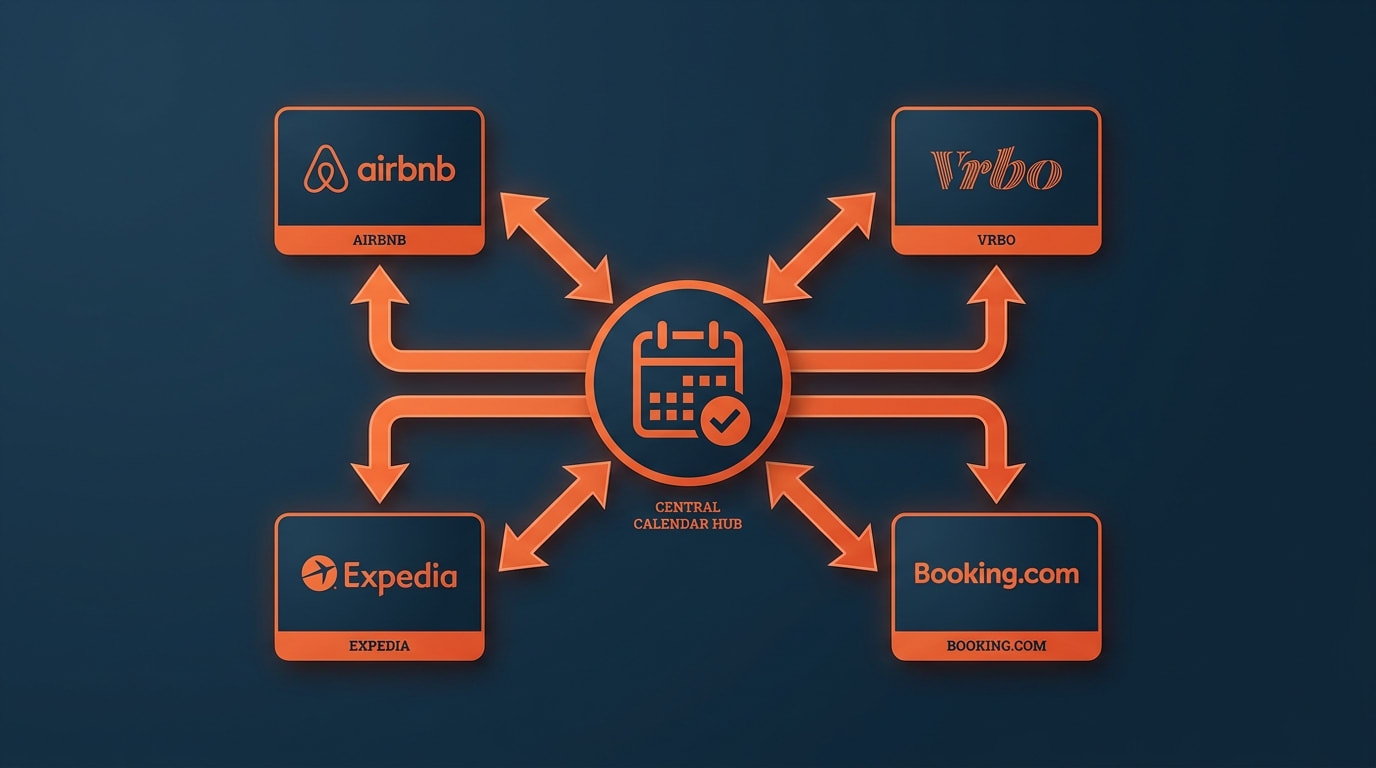
A channel manager is software that sits between your listings and the booking sites, and keeps one calendar of record. When a guest books on one site, it closes those dates on every other connected site, and when you change a nightly rate or a minimum stay, it pushes that change out to all of them. That is the whole job: two-way sync of availability, rates, and stay rules across channels. You need one once the same unit is live on two or more booking sites, or once you run two or more units. One unit on one site does not need one, and I will tell you where that line sits before I tell you how to choose.
Last updated: 2026-09-17
I have spent 18+ years in real estate, with my focus on short-term rentals since 2016, and I have trained more than 10,000 operators through CashFlow Diary. The same mistake keeps showing up: people buy software to fix a problem they do not have yet, and skip the one piece of plumbing that prevents the mistake that actually costs money. Most of what you will read on this topic is written by companies selling the software. This article includes the case where you should not buy it.
What a Channel Manager Actually Does
Strip the marketing off and a channel manager does four things.
It holds availability. Every connected site reports bookings and blocks back into one calendar, and that calendar pushes back out. A reservation on one site closes the dates everywhere else without you touching a second login.
It pushes rates. You set a nightly price once and it goes out to each connected channel, usually with per-channel adjustments so you can price for each site's fee structure.
It pushes stay rules. Minimum nights, maximum nights, check-in and check-out day restrictions, and advance-notice windows move together instead of drifting apart.
It carries reservation data back to you. Guest name, dates, payout figure, and channel of origin land in one place so you are not reconciling four dashboards at month end.
Here is what it does not do. It does not message guests, schedule cleaners, track maintenance, produce owner statements, or handle your team's task list. It does not decide your prices for you. Those jobs belong to other tools, and confusing them is how operators end up paying for a stack they do not use.
The same unit is live on 2+ booking sites, or you run 2+ units
Property management system (PMS)
Operations are spread across texts, sheets, and inboxes
Guest messaging, cleaning and task assignment, owner reporting, payments, plus channel management in most cases
Coordinating people and turnovers costs you more time than syncing calendars
Pricing tool (demand-responsive pricing)
Your nightly rate is a guess
Market rate data, rate recommendations, calendar-level price setting that feeds your channel manager or the sites directly
You have enough booking history or market data to act on a rate change weekly
The overlap is real. Most PMS products include channel management, and several pricing tools write rates straight into a channel manager. That is fine. The failure is buying in the wrong order. If your pain is two calendars disagreeing, a PMS is an expensive way to solve it. If your pain is that you cannot remember which cleaner is at which door on Friday, a channel manager will not help you at all.
Sequence I use with operators: solve calendar truth first, pricing second, operations software last, and only when a person other than you is doing the work.
Do You Need One Yet?
Answer two questions: how many units, and how many booking sites per unit.
Your setup
Channel manager needed?
What to do instead or next
1 unit, 1 booking site
No
Manage the calendar and rates on that site. Spend the money on photos and a second lockbox.
1 unit, 1 site + a direct-booking page you control
Usually no
Block direct bookings on the platform calendar by hand, same day, every time. Set a rule: no direct booking confirmed until the platform dates are blocked.
1 unit, 2+ booking sites
Yes
This is the line. Two live sites on one calendar is where double-bookings happen.
2+ units, any number of sites
Yes
Per-unit manual management stops scaling at unit two, mostly because of rate and minimum-stay drift, not bookings.
2+ units with cleaners, co-hosts, or owners involved
Yes, inside a PMS
Buy the PMS with channel management included rather than stacking two subscriptions.
The honest version of "no": if you are one unit on one site, a channel manager buys you nothing you cannot do in the app on your phone. Skip it. Revisit the question the day you decide to list somewhere else.
There is a middle path people forget. Staying single-channel on purpose is a legitimate choice. You give up some reach, and in exchange you get one calendar, one fee schedule, one support queue, and no sync risk. Plenty of operators with one unit near one demand driver run that way for years. What is not legitimate is being on three sites and managing them by memory.
The Double-Booking Failure Mode
A double-booking is not a scheduling annoyance. It is a cancellation you did not choose, and the booking site decides what it costs you.
The mechanics are dull. Two sites both believe a date is open. A guest books it on one. Nothing tells the other site for some number of minutes or hours. In that window, a second guest books the same night. Now you are cancelling a confirmed reservation.
What follows depends on the platform, and each one publishes its own host cancellation policy: a fee, calendar blocking on the dates you cancelled, a note on your listing in some cases, ranking effects, and for the programs with performance standards, a strike against your account. Read the current policy on each site you use rather than trusting a number in an article, including this one — the fees and the enforcement thresholds change, and they differ by platform and by program tier.
Then there is the part no fee schedule shows: you have to tell a guest with a flight booked that the place they paid for is not available. That is the cost that keeps operators up, and it is the one a monthly software subscription would have prevented.
The fix is boring. One calendar of record, pushed both directions, with the sync verified. Not a reminder. Not a shared sheet. Software whose only job is to be right about availability.
A double-booking: two reservations colliding on one calendar date
Before you buy anything, understand the free option and its ceiling.
iCal is a calendar file format — the iCalendar standard, defined in RFC 5545. Booking sites publish your reservations as an iCal feed at a private URL, and they can import someone else's feed. You paste your first site's feed into the second site, and the second site blocks dates it sees in that feed.
Two limits matter.
First, iCal is polled, not pushed. The importing site re-reads your feed on its own schedule, and that schedule is the platform's choice, not yours. Airbnb's own help documentation states that an Airbnb calendar automatically updates every 3 hours and pulls in information from the calendars you have connected, with a manual Refresh available if you need it sooner. So on that connection, a night booked elsewhere can sit open on Airbnb for up to three hours unless you refresh by hand. Airbnb also caps how often it will request updates from the other site, and it imports up to two years of data. Check the current numbers on each platform you connect; that gap is the double-booking window, and no amount of care on your end shortens it.
Second, iCal only carries events. Availability blocks travel. Nightly rates, minimum-stay rules, fees, and listing content do not. If you raise your rate for a holiday weekend, iCal will not move it anywhere. You are still editing every site by hand.
Connection type
What syncs
Timing
Good for
iCal feed
Availability blocks only, one feed per direction
Polled on the platform's interval — Airbnb documents a 3-hour automatic refresh
Low booking volume, a rarely used second channel, blocking a personal-use calendar
Native API connection
Availability, rates, minimum and maximum stay, restrictions, reservation data
Pushed when the change happens, not on a fixed polling interval
Any unit live on two or more sites you actually want bookings from
So use iCal deliberately, not as your main plumbing. It is fine for a channel you list on twice a year, or for keeping your own family-use calendar visible. It is not fine as the thing standing between two high-volume sites.
The platforms themselves document both paths. Airbnb publishes API documentation for software partners, including real-time availability checks during the booking flow. Expedia Group publishes lodging connectivity documentation for partner software. Booking.com runs a connectivity portal for software providers, and as of this update its own portal says it has paused integrations with new connectivity providers until further notice — which is exactly the kind of thing to confirm on the platform's page before you sign, not after. Vendor logo walls are not proof of a live native connection.
What It Costs, and When the Fee Is Wasted
Pricing models fall into two shapes: a flat fee per listing per month, or a percentage of booking revenue. Both are common, and published prices change often enough that I will not quote a market rate as fact. Get a current quote and run it yourself.
Here is the arithmetic, with the assumptions on the table. These are illustration numbers I chose, not quotes and not results:
Illustration (assumed numbers)
Flat per-listing fee
Percentage of revenue
Assumed price
$30 per listing per month
3% of booking revenue
1 unit, $30,000 booking revenue per year
$360 per year
$900 per year
1 unit, $12,000 booking revenue per year
$360 per year
$360 per year
4 units, $30,000 each per year
$1,440 per year
$3,600 per year
Read it as a shape, not a forecast: flat fees favor higher-revenue units, percentage fees favor small or seasonal ones, and the crossover moves the moment either number changes. Normalize any quote to a 12-month total that includes setup or onboarding fees, then compare.
When is the fee wasted? When you are single-channel and staying that way. When the tool's connection to your main site is iCal rather than native. When you bought a full PMS for calendar sync and use one screen of it. And when you are paying for a tier priced for 50 doors while you run two.
One note on money: software fees for a rental activity are ordinary business expenses in the normal case, but how any expense applies to your return depends on your facts. This is educational, not tax or legal advice — take the specifics to your CPA.
A single dashboard cleanly syncing all booking platforms
Work these in order. Stop at any step that fails.
Step 1 — List your channels, then check connection type
Write down every site you are on or plan to be on within six months. For each one, confirm on the platform's own partner page whether your candidate tool holds a native connection or falls back to iCal. Native for your two highest-volume sites is non-negotiable.
Step 2 — Confirm what the tool pushes, not just what it reads
Ask explicitly: does it push nightly rates, minimum stay, maximum stay, and check-in day restrictions to each connected site, or only availability? Tools that read bookings but cannot push rate and stay rules leave you editing every calendar by hand.
Step 3 — Price it against your actual revenue
Take the quote, model both fee shapes over 12 months against your real booking revenue, and include setup fees. Do this before the demo so the salesperson's framing does not become your math.
Step 4 — Test the sync on a live date
During the trial, connect one unit. Block a date in the tool and watch each connected site until it closes. Then take a real test booking or block on a site and watch it close in the tool. Write down how long each direction took. If nobody can show you that working, the trial ended in a no.
Step 5 — Ask how a conflict resolves
Every sync eventually gets two writes at once. Ask what happens when a booking and a rate change hit the same night, how the tool surfaces failed pushes, and where you see an error log. A tool with no visible error log will fail silently, and you will find out from a guest.
Step 6 — Price the support you will actually get
Support hours, channels, and response targets, in writing. A calendar problem is a same-day problem. Email-only support with a two-day target is a different product from chat support at 11pm on a Saturday, no matter what the feature grid says.
Step 7 — Plan your exit before you sign
Ask what you can export if you cancel: reservation history, guest records, rates, and stay rules, in what format, and how long you keep access. Prefer month-to-month for a first tool even at a higher price. An annual discount on software you cannot leave is not a discount.
Frequently Asked Questions
What is a channel manager for vacation rentals? It is software that keeps one calendar of record for a unit and syncs it with every booking site you list on. A reservation on one site closes those dates on the others, and rate and minimum-stay changes you make once push out to all connected channels. Its purpose is calendar truth and rate consistency, not guest communication or cleaning.
What is the difference between a PMS and a channel manager? A channel manager handles distribution: availability, rates, stay rules, and reservation data across booking sites. A PMS handles operations: guest messaging, turnover and task assignment, owner reporting, and payments. Most PMS products include channel management, so if you need both, buy one product rather than two subscriptions.
Do I need a channel manager for one Airbnb listing? No, not if that one unit is on one site. Manage it in the platform app and spend the money elsewhere. The moment you list the same unit on a second site, or add a second unit, the answer flips to yes.
Is free iCal sync good enough instead? Only for low-volume channels. iCal carries availability blocks and nothing else, and the importing site refreshes your feed on its own polling schedule rather than instantly. That refresh gap is the window a double-booking happens in, and iCal will never move a nightly rate or a minimum-stay rule for you.
Can a channel manager set my prices? Not on its own. It pushes whatever rates you give it. Price recommendations come from a separate demand-responsive pricing tool, which many channel managers accept a connection from. Keep those two decisions separate so you always know what set the number on a given night.
If you want a second set of eyes on which tool your operation actually needs right now, book a complimentary one-on-one diagnostic call and we will walk your channels, your unit count, and your calendar process before you sign anything.
Booking.com Connectivity Portal — Booking.com's own page for connectivity providers, and the source for its current pause on new connectivity integrations.
RFC 5545, the iCalendar specification — defines the iCal format used for calendar feeds, and shows it carries events rather than rates or stay rules.