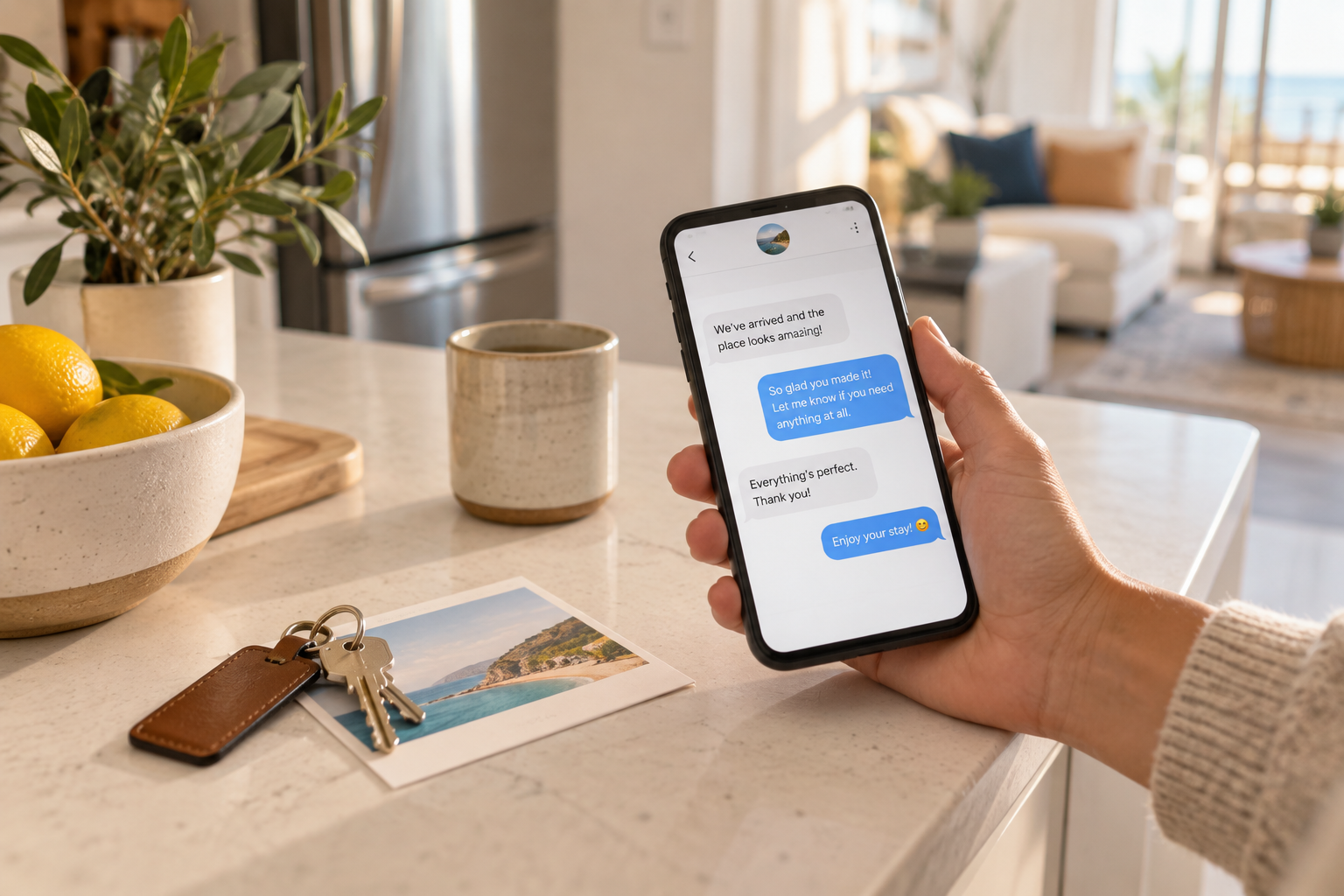
Below are 15 short-term rental guest message templates you can copy, fill in, and send today, grouped by stage of the stay: booking, check-in, mid-stay, check-out, and problems. Each one has a "send when" note and [placeholders] to swap out. After the templates, you will find the Airbnb rules that decide when and how you send them, including the response-time target for Superhost, the ban on moving guests off the platform, the 14-day review window, and the 14-day damage-claim deadline.
15 STR Guest Message Templates You Can Copy-Paste Right Now
Fifteen ready-to-use guest messages for every stage of a stay, from inquiry reply to damage discovery, with the Airbnb timing rules that decide when to send each one.
By J. MasseyApril 8, 2026· 12 min read
Disclosure: This post may contain affiliate links. If you purchase through our links, we may earn a commission at no extra cost to you. We only recommend tools and services J. Massey's team actually uses. Read the affiliate disclosure
Table of Contents
Booking and Pre-Arrival Templates
These four messages answer the questions guests would otherwise text you at 11 p.m. the night before arrival.
1. Inquiry reply
Send when: a guest asks a question before booking. Reply inside the Airbnb thread and do not share a phone number, email, or outside link.
Hi [Guest Name], thanks for reaching out about [Property Name]. Yes, [answer their question directly: dates are open / the space fits 4 / parking is included].
Quick details: the home is [distance] from [landmark], self check-in is from [time], and [one standout feature].
If the dates work for you, you can book directly on the listing. Happy to answer anything else here in the meantime.
2. Booking confirmation
Send when: right after a reservation is confirmed. This is a good candidate for an automatic scheduled message.
Hi [Guest Name], your stay at [Property Name] is confirmed for [check-in date] to [checkout date]. Thank you for booking.
Here is what happens next: I will send your check-in instructions and access details on [day before arrival / 2 days before arrival]. Check-in is from [time] and checkout is by [time].
Questions before then? Reply here in the Airbnb app.
3. Business-traveler confirmation
Send when: the booking note, profile, or dates suggest a work trip (weekday arrival, solo guest, mentions a conference or project).
Hi [Guest Name], you are all set at [Property Name] for [dates]. Since it sounds like you are in town for work, here are the details most business guests ask about:
Workspace: [desk and chair / monitor / quiet room]
Internet: [speed, if you have tested it] with a backup [hotspot / ethernet], if applicable
Coffee: [coffee maker type and what is stocked]
Nearby: [closest coffee shop, office supply, or late-night food]
If your arrival time changes, message me here and I will do what I can.
4. Pre-arrival with access details
Send when: 1 to 2 days before check-in. Send it early enough that guests can read it before they travel, not while they are standing in the driveway.
Hi [Guest Name], you arrive [day], so here is everything you need.
Address: [full address]
Check-in: from [time]
Parking: [exact spot, permit instructions, or street rules]
Entry: [lock type]. Your code is [code] and it becomes active at [time].
Wifi: network [name], password [password]
House guide: [where it is: kitchen counter, digital guidebook link inside Airbnb]Quick reminders: quiet hours are [time to time], and the home is [no smoking / no parties / pets approved only]. If anything does not work when you arrive, message me here and I will respond right away.
Check-In Templates
Check-in day creates most urgent messages. Keep these ready to send from your phone.
5. Early check-in request: yes
Send when: a guest asks to arrive early and your cleaner has confirmed the unit will be ready.
Hi [Guest Name], good news: the cleaning team expects to finish by [time], so you are welcome to check in at [time]. Your code will work from then.
If you get there before that, [luggage option: you can leave bags in the entry / there is a coffee shop at the corner]. I will message you the moment the unit is ready.
6. Early check-in request: no
Send when: you cannot accommodate the request because of a same-day turnover or a late checkout from the previous guest.
Hi [Guest Name], thanks for asking. Unfortunately we have a guest checking out today, and the team needs the full window to clean properly, so [standard check-in time] is the earliest I can offer.
While you wait: [luggage option] or [nearby lunch spot]. If the cleaners finish early, I will let you know right away.
7. Wifi or access troubleshooting
Send when: a guest reports that the code, lock, or wifi is not working. Speed matters more than polish here.
Hi [Guest Name], sorry about that, let's fix it now.
Door: press [wake button or logo on the keypad] first, then enter [code] followed by [check/enter key]. If the keypad is dark, the backup is [lockbox location and code].
Wifi: the router is [location]. Unplug it for 30 seconds, plug it back in, and give it a couple of minutes. The network is [name] and the password is [password], which is case-sensitive.
If neither works, reply here and I will [call you through the app / send someone over].
Mid-Stay Templates
Mid-stay messages catch problems while you can still fix them, before they become a public review.
8. Mid-stay check-in
Send when: the morning after the first night for stays of 3 nights or longer. Skip it for one-night stays, where it reads as noise.
Hi [Guest Name], hope your first night at [Property Name] went well. Is everything working the way it should?
If something is missing or not quite right, even something small like extra towels or a burnt-out bulb, tell me here and I will take care of it today.
9. Maintenance issue acknowledgement
Send when: a guest reports a broken appliance, leak, heating or cooling problem, or anything else that needs a repair visit.
Hi [Guest Name], thank you for telling me about the [issue]. I am sorry you are dealing with that.
I have contacted [technician / handyman / my maintenance person], and they can be there [time window]. [If relevant: In the meantime, you can use (workaround).]
I will confirm once the visit is booked and follow up again after the repair. If it gets worse before then, message me here right away.
Send the acknowledgement first, even before you have a repair time. Silence is what turns a broken dishwasher into a bad review.
10. Noise or house-rule reminder
Send when: your noise monitor alerts, a neighbor complains, or you see a rule issue (extra guests, smoking, unapproved pet). Keep the first message friendly and specific.
Hi [Guest Name], quick note: I have received [a noise alert / a message from a neighbor] about [noise level / music / voices outside] at about [time].
The home's quiet hours are [time to time], and the neighbors are close by. Could you please [bring the volume down / move inside / close the windows] for the rest of the evening?
Thanks for understanding.
If a second reminder is needed, document it in the same thread. Airbnb's ground rules for guests ask hosts to communicate with the guest first, document the issue through the message thread and photos, then contact Airbnb if it continues. For thresholds that separate real parties from normal living noise, see our guide on setting noise monitoring thresholds.
Check-Out and Review Templates
11. Check-out reminder
Send when: the evening before checkout, usually between 5 p.m. and 7 p.m. local time.
Hi [Guest Name], hope you have enjoyed your stay. Just a reminder that checkout is tomorrow by [time].
Before you go, please:
Leave used towels [in the tub / in the hamper]
Take trash to [location] if the kitchen bin is full
Make sure the door locks behind you
That is it. No need to strip beds or run the dishwasher. Safe travels, and thank you for staying with us.
Keep the list short. Airbnb's ground rules say hosts may not charge guests fees for skipping specific cleaning or checkout tasks, so long chore lists mostly create friction.
12. Review request
Send when: a few hours after checkout, once you have confirmed there were no problems. Send it inside Airbnb.
Hi [Guest Name], thanks again for staying at [Property Name]. It was a pleasure hosting you.
If you have a minute, a review on Airbnb helps other travelers know what to expect and helps small hosts like us a lot. I will be leaving one for you as well.
If anything was less than perfect, I would love to hear it here directly so I can fix it for the next guest.
13. Post-stay thank-you
Send when: after you have written the guest's review, or 1 to 2 days after checkout for guests you would happily host again.
Hi [Guest Name], I just left your review. Thank you for taking such good care of the place.
You are welcome back anytime. If you are in [city] again, you can find us under [Property Name] on Airbnb.
It deliberately skips any direct-booking discount or email request. Airbnb's Off-Platform and Fee Transparency Policy prohibits encouraging repeat bookings off Airbnb and offering discounts to book off the platform.
Problems, Damage and Refund Templates
Write these calmly in advance. They protect your review score and your paper trail.
14. Damage or issue discovery
Send when: your cleaner reports damage, missing items, or unusual cleaning after checkout. Photograph everything first, then send this the same day.
Hi [Guest Name], I hope you got home safely. After your checkout, my cleaning team found [specific issue: a broken lamp base / a stain on the sofa cushion / a missing throw blanket].
I have attached photos taken at [time] on [date]. [Optional: I know accidents happen and I am not assuming anything was intentional.]
The [repair / replacement / specialized cleaning] cost is [amount], based on [receipt / quote from vendor]. I will send a request through Airbnb's Resolution Center so everything is documented in one place. If you have any context I should know about, please reply here.
Timing is not optional here. Airbnb's Host damage protection page says to document the damage with photos, video, estimates, or receipts, then file a reimbursement request in the Resolution Center within 14 days of the responsible guest's checkout. The guest then has 24 hours to respond before you can escalate. Normal wear and tear is not covered. For the full claim workflow, read what to do when a guest damages your property.
15. Refund or cancellation request reply
Send when: a guest asks for a refund, a partial refund, or to cancel outside your policy.
Hi [Guest Name], thanks for letting me know, and I am sorry your plans have changed / your stay has not gone as expected.
[If a cancellation:] Your reservation is under the [policy name] cancellation policy shown on the listing and in your booking. Under that policy, [what they are eligible for]. You can cancel from your reservation in the Airbnb app, and the refund follows that policy.
[If an in-stay issue:] I want to fix this first. [What you are doing about it and by when.] If you still feel a refund is fair after that, the best path is to raise it through Airbnb so it is handled against the policy and documented.
[Optional goodwill:] If you would like to move your dates instead, I can check availability for [alternative dates].
Two platform rules shape this reply. Airbnb's rebooking and refund policy says guests must report reservation issues (like no access, an unclean unit, or a listing that is significantly different than advertised) within 72 hours after discovery, and a host cancellation before check-in entitles the guest to a full refund. Never agree to settle money outside Airbnb, which the off-platform policy prohibits.
Timing and Response Speed Rules That Matter
These Airbnb rules set your timing, checked against Airbnb's Help Center.
Rule | What Airbnb says | What it means for your messages |
|---|---|---|
Superhost response criteria | Respond to 90% of new messages, and accept or decline requests, within 24 hours | Keep inquiry and request replies saved so you can answer fast from anywhere |
Other Superhost criteria | At least 10 reservations (or 3 totaling 100 nights), under 1% cancellation rate, 4.8+ overall rating | Mid-stay check-ins protect the rating side |
Co-hosts | Co-hosts are not evaluated for Superhost status on listings they co-host | If you co-host, the owner's account earns the badge |
Contact info before booking | All guest communications before booking must be on Airbnb | Template 1 contains no phone, email, or links |
Review window | 14 days after checkout for both host and guest | Send Template 12 early in that window |
Damage claims | File in the Resolution Center within 14 days of checkout | Send Template 14 the same day damage is found |
Answer fast, then answer fully. A quick "Got it, checking now" calms the guest and starts the conversation. Follow with the full answer once you have it.
Watch the 24-hour clock on requests. Turn on push notifications and keep Templates 1 and 2 one tap away.
Stay inside the thread. Airbnb allows another channel, such as a chat app, only if the guest asks for it after booking. The Airbnb thread is also your documentation if a dispute reaches the Resolution Center.
Write your review early. Reviews are published once both sides submit or when the 14-day window ends, whichever comes first. Leaving yours promptly, then sending Template 13, is a natural nudge. For more on building reviews from zero, see how to get your first 10 five-star reviews.
Automating These Templates Without Sounding Like a Robot
You do not need to type any of these by hand more than once.
Airbnb quick replies. Airbnb lets you save quick reply templates and fill in details like guest first name, check-in date, and check-in time automatically. Scheduled quick replies go one step further and send automatically based on triggers such as a new reservation, check-in, or checkout. Templates 2, 4, 11, and 12 are natural fits for scheduling.
A messaging tool across channels. If you list on more than one platform, a tool like Hospitable lets you build custom templates, pre-schedule messages, and manage messages from Airbnb, Vrbo, Booking.com, and direct bookings in one inbox, according to its features page.
Keep humans on the judgment calls. Automate the predictable messages (confirmation, pre-arrival, checkout reminder, review request). Send Templates 6, 9, 10, 14, and 15 manually, because each depends on facts that change every time.
Rule of thumb: if the message would be identical for every guest, schedule it. If it depends on what happened, write it yourself.
Here is how the 15 templates split between scheduled and hand-written messages:
Template | When it goes out | How to send it |
|---|---|---|
2. Booking confirmation | Right after the reservation is confirmed | Scheduled quick reply |
4. Pre-arrival with access details | 1 to 2 days before check-in | Scheduled quick reply |
11. Check-out reminder | Evening before checkout, about 5 to 7 p.m. local time | Scheduled quick reply |
12. Review request | A few hours after checkout, once you confirm there were no problems | Scheduled, with a manual check first |
1, 3, 5, 7, 8, 13 | When the trigger happens (inquiry, work trip, early check-in request, access problem, morning after night one on 3+ night stays, after your review) | Saved quick reply, personalised before sending |
6, 9, 10, 14, 15 | When a problem or a no comes up | Written by hand each time |
If your messaging is solid but reviews, occupancy, or cash flow still are not where you want them, take the free STR diagnostic to find which part of your operation is holding the numbers back.
Frequently Asked Questions
How fast should I respond to Airbnb guest messages?
To meet Airbnb's Superhost criteria, you need to respond to 90% of new messages, and accept or decline reservation requests, within 24 hours.
Can I give guests my phone number or email before they book?
No. Airbnb's Off-Platform and Fee Transparency Policy says all guest communication before booking must happen on Airbnb. After booking, you may confirm that the contact information Airbnb provides is a good way to reach the guest, and you may use another channel if the guest requests it.
When should I send a review request?
Send it within a few hours of checkout, inside the Airbnb thread. Both host and guest have 14 days after checkout to leave a review, and Airbnb does not allow hosts to send guests to an outside site or survey for feedback about an Airbnb stay.
How long do I have to file a damage claim on Airbnb?
Airbnb's Host damage protection page says to file a reimbursement request in the Resolution Center within 14 days of the responsible guest's checkout, with photos, videos, estimates, or receipts.
Should I automate all of my guest messages?
Automate the predictable ones: confirmations, pre-arrival instructions, checkout reminders, and review requests. Write early check-in answers, repairs, rule reminders, damage, and refund messages yourself.
Sources
Keep reading
Disclaimer: Educational content only — not financial, legal, or tax advice; results vary.
See our full Earnings Disclaimer and Affiliate Disclosure for complete details. © 2026 West Egg Enterprises, Inc. All rights reserved.